
Lighting Power and Control Cabinet Interfaces
We help connect lighting equipment requirements with practical cabinet and power interfaces. Your selected fixtures, drivers and controls guide our discussion of mounting, terminals, cable routes, heat removal and the documents needed for the project.
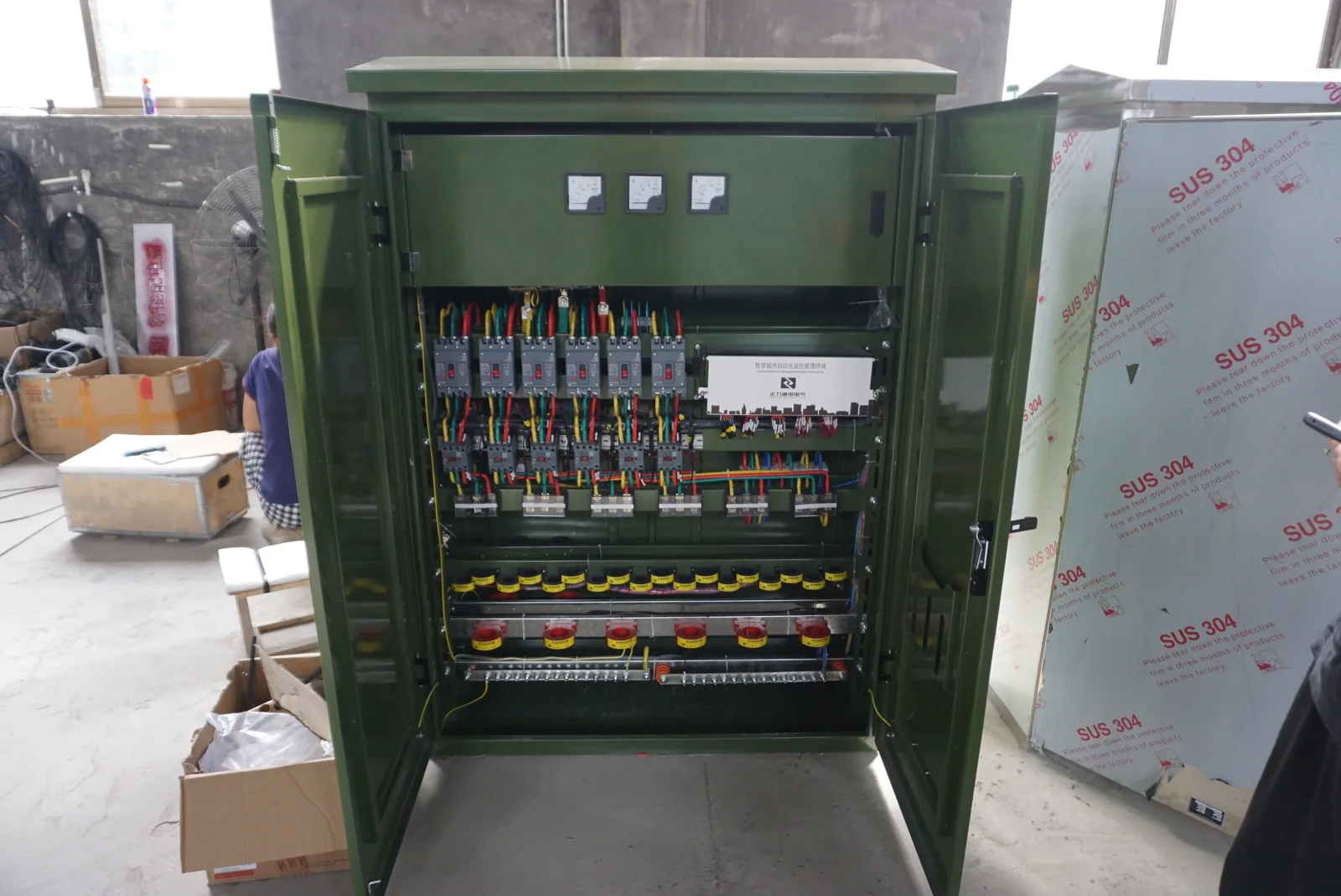
Our lighting project contribution centers on the agreed cabinet and electrical interfaces. Fixture and control equipment selections give us the operating requirements for a coordinated layout.
Our Cabinet Interfaces for Lighting Projects
A lighting installation combines a defined light output with the equipment and connections that support it. We begin with the fixture arrangement and selected driver information, then organize the enclosure around the required power and control interfaces.
Fixture and driver arrangements
Integrated drivers, separately mounted drivers and grouped control equipment create different space and access needs. Fixture quantity, operating duty and control limitations help establish the cabinet layout and terminal arrangement.
Project and replacement work
For an existing installation, the fixture, driver and controller references keep a replacement discussion tied to the connected equipment. The same information supports new projects where lighting designers and electrical teams select the system components.
Power, Control and Enclosure Functions
Power path: protected supply → compatible LED driver → specified light source.
Control path: control device → matching driver control input.
The driver supplies the electrical output required by the light source. A controller sets brightness, color or switching through the selected interface. Our enclosure discussion brings together mounting, connections, protection space and thermal conditions.
Some constant-voltage strip arrangements place a compatible controller between the supply and strip. We follow the selected equipment architecture when locating terminals and separating power routes from control connections.
Fixture and Driver Information for the Layout
We organize electrically different fixtures or groups separately. A clear schedule connects the lighting design with the cabinet space and circuit interfaces it needs.
| Item | Project detail |
|---|---|
| Light source | Fixture or module model, quantity, rated load and operating duty |
| Driver input | Voltage range, frequency and startup or inrush information |
| Driver output | Constant-voltage value, or constant-current value with its working voltage range |
| Control | Selected interface, channels, zones and controller reference |
| Installation | Mounting orientation, thermal limits and replacement access |
Fixtures serving emergency or egress functions are identified as a separate project duty so their system requirements remain visible.
Matching Constant-Voltage and Constant-Current Loads
A constant-voltage load needs its specified supply voltage and adequate output capacity for the connected demand. A constant-current load needs the specified current, with its operating voltage inside the selected driver's working range. Equal wattage figures alone do not establish a suitable combination.
We use the fixture and driver references to coordinate terminals, cable routes and equipment positions. The fixture supplier's permitted series or parallel arrangement also affects these connections. Recording the output mode and actual load grouping makes future driver or fixture changes easier to compare with the original layout.
Supply Circuits and Simultaneous Startup
The incoming voltage, frequency and circuit arrangement define the supply interface. The number of drivers switched together, their startup behavior and inrush demand inform the electrical designer's selection of switching and protective devices.
We coordinate space and connections around those selected devices, including terminals and the thermal effect of the populated arrangement. A control transformer performs a different function from a regulated LED driver. Where the design uses a transformer, its specified role fits alongside the driver's own output and control requirements; similar voltage markings do not make the two interchangeable.
Control Interfaces, Channels and Zones
We distinguish the electrical or communication interface from the lighting behavior it is intended to produce. The selected driver and controller must support the required connection and loading conditions. Brightness range, low-level operation, off state and any color control belong in the project description.
A channel identifies an output or control function; a zone groups lights for operation. Keeping both on the drawing helps coordinate terminal labels and cable routes. It also supports practical questions such as which fixtures respond together and which settings belong to a particular controller.
RGB and RGBW channel loading
For a selected RGB or RGBW strip system, we record the function of each output channel, its connected current and the total simultaneous load. A controller can have separate per-channel and overall limits, so adding channels or strip length affects more than the number of terminals. The specified supply voltage, connection polarity and equipment pin assignments stay with the exact controller and strip references. We use this schedule to coordinate terminal groups, cable space and heat-producing components.
Startup, Commands and Power Recovery
Lighting behavior is clearer when described across operating states: initial energization, normal commands, communication loss and restoration of supply. We use that sequence to identify the required power and signal interfaces, while your lighting team defines the intended brightness or off state.
Scheduling, occupancy control and manual override may introduce different command priorities. Emergency and egress lighting use the requirements of their dedicated system design. Fault indications and the operation that should continue after a driver or controller failure can then be connected to the wider controls plan.
Mounting, Materials and Cable Routes
Driver orientation, mounting-surface requirements and permitted ambient conditions influence enclosure layout. We consider nearby heat sources, heat-producing equipment positions and access for replacement alongside the overall dimensions. A populated cabinet needs room for both equipment and its working clearances.
Material and finish choices respond to the installation environment and mechanical needs. Covers, seals and cable-entry fittings work together to protect the assembled arrangement. Power and control routes, required separation, connector access and spare cable space belong on the same layout, helping the installation team place the cabinet and approach it for service.
Receiver and user-control positions
For an infrared remote arrangement, we discuss the specified receiver location and the intended operating position with the lighting team. The receiver cable route, access and any required sight path need to work with the cabinet and nearby surfaces. Controller, receiver and remote model references keep these decisions connected to the selected system; for a missing or replacement remote, that matching information comes before the enclosure change. We arrange the cabinet interfaces around those references without assuming a universal remote or connector.
Our Project Drawings and Operating Information
Layout and component references
We coordinate the agreed enclosure drawings with equipment references, terminal identification and the zone or channel map. The fixture, driver and controller settings connect the physical arrangement to its intended behavior.
Functional behavior and later changes
Project discussions can include startup, dimming range, off-state and recovery checks with the intended equipment combination. The lighting designer defines the acceptable behavior, including low-brightness consistency, visible flicker and unexpected restart. Test scope and conditions follow the project agreement.
A component change may affect mounting, heat loss, control compatibility or settings. Keeping the references together helps identify which layout details and functional checks need revisiting. Electrical work and intrusive checks remain with qualified personnel following the equipment instructions.
Discuss Your Lighting Cabinet Interfaces
Share the fixture and driver references you have, supply details, control zones and installation environment. We can start from the intended lighting arrangement and develop the cabinet, terminal and access requirements with your team. Add quantities, destination and project timing when available.
Explore our electrical junction boxes for local cable connections and building power outlet interfaces for related wall or equipment connections.