
Rack Power Distribution Interfaces
We coordinate cabinet and distribution interfaces around your rack equipment, selected PDU and incoming circuits. A clear connection map brings outlet allocation, available capacity, mounting space and monitoring requirements into one practical project discussion.
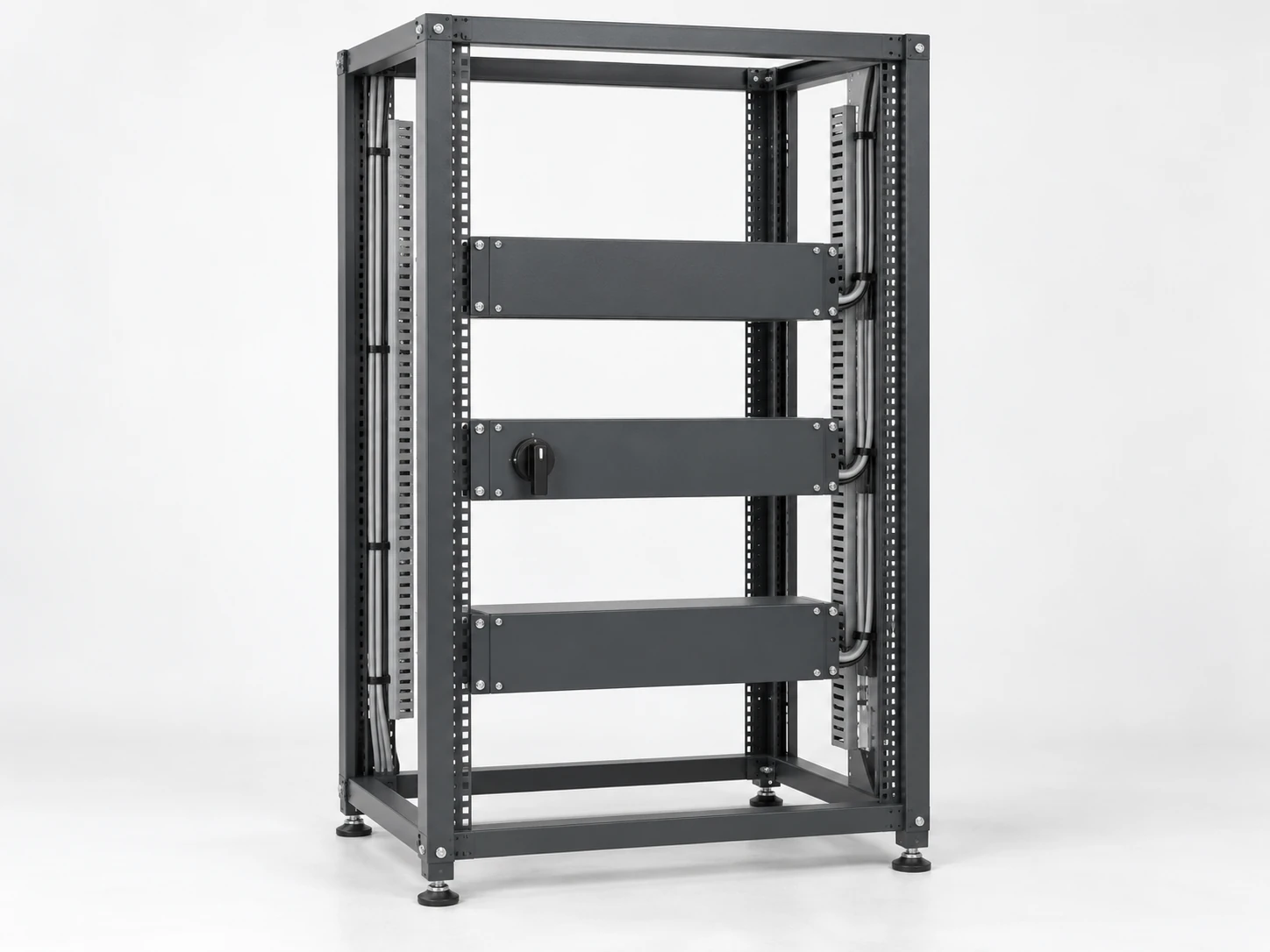
Our project work connects rack requirements with the agreed cabinet and electrical distribution scope. The selected PDU, upstream supply and equipment interfaces define the functions and ratings used in the layout.
Our Place in the Rack Power Path
Rack power path: facility circuit or UPS output → rack PDU → equipment cord → server or network-device power supply.
We use this path to align the rack with its upstream distribution and physical installation. The PDU distributes power to equipment outlets; a UPS provides its specified backup function, and the equipment power supply serves the connected device. Voltage stabilization or frequency conversion belongs to a separately defined power stage.
Identifying these functions early keeps the connection layout, load schedule and equipment responsibilities consistent.
A Connection Map for Each Device
We start with the equipment and its actual power cords. Each connection links a device to an outlet, a protective group or bank, a phase where relevant, and an upstream source. That map helps organize both the physical rack and the electrical capacity.
| Item | Configuration detail |
|---|---|
| Equipment | Device reference, model and rack position |
| Demand | Continuous and peak demand with the operating condition |
| Connection | Exact equipment inlet, cord plug and PDU outlet designation |
| Allocation | PDU, outlet, branch or bank, phase and source |
| Cord routing | Length, reach, retention and removal space |
| Supply paths | Single-cord or dual-cord arrangement and intended A/B connection |
Spare outlets and spare electrical capacity are recorded separately, giving future expansion a clear starting point.
Incoming Circuits and Connector Interfaces
Supply voltage, frequency, phase, wire arrangement and upstream protective device establish the input conditions. We coordinate the connection position and cable route using the specified NEMA, IEC or other exact connector designation. Destination country alone does not identify a connector.
The selected equipment ratings cover the input, branches and outlets, with their stated operating conditions. Inlet orientation, cord length, strain relief and retention also influence the cabinet layout. Using the actual equipment and connector references keeps mechanical fit and electrical duty aligned.
Capacity at the Input, Branch and Outlet
We organize the load schedule by the actual circuit map. A whole-unit rating does not show the capacity of every outlet bank, protective group or phase. Continuous demand, peaks and their operating conditions need to be allocated to the group that carries them.
The facility designer applies the selected equipment limits and site requirements to that schedule. When a device is added or moved, its new group must have capacity under the required operating states. An available socket can share a circuit with heavily loaded equipment, so the outlet map and load map work together.
A/B Capacity After Loss of a Source
A path: source A → PDU A → device input A.
B path: source B → PDU B → device input B.
We include upstream source relationships in the interface discussion: two PDUs alone do not establish independent supplies. The connected equipment behavior determines how demand moves when a source is lost.
The capacity assessment therefore covers loss of A and loss of B separately. Compare the required load with every surviving input, branch, outlet group and upstream circuit. Single-cord devices need an identified supply arrangement; where transfer equipment is selected, its function and connections join the same plan. These conditions also guide the capacity reserved for expansion.
Distribution, Measurement and Outlet Control
Monitoring and control requirements affect the selected equipment and the space needed for connections. We describe the function at its actual level: input, bank or individual outlet.
| Function | Project interface |
|---|---|
| Basic distribution | Protected circuits and outlet allocation |
| Local metering | Displayed quantities, measurement level and viewing access |
| Remote monitoring | Measurements, alarms and documented communication interface |
| Controlled switching | Switchable outlets, authorized operation and power-on sequence |
Remote measurement and outlet switching are separate functions, each tied to the selected equipment.
Monitoring Connections and Recovery Behavior
Communication interfaces
The project schedule identifies the network connection, protocol and version, alarm meanings and receiving system. We coordinate the required connection space and labeling with your controls or IT team. Equipment configuration and firmware references support consistent documentation.
Control and restoration
For selected switching functions, the operating plan defines authorized roles, command records and the power-on sequence. Communication loss, management-module failure and supply restoration may have different outcomes. Describing each state helps the operations team align remote commands with the equipment that should remain energized.
Mounting Space, Cable Access and Temperature
We consider rack dimensions, rail positions and vertical or horizontal mounting together with support stiffness and attachment hardware. PDU projection, plug depth and cable bends must leave room for doors and server removal. Cord reach should suit the equipment position without obstructing service access.
Temperature at the PDU location can differ from room temperature, particularly near equipment exhaust. Routing and mounting should preserve airflow and remain within the selected unit's operating conditions. Our cabinet cooling discussions connect those local conditions with the broader enclosure layout.
Our Circuit Documents and Delivery Coordination
Circuit and outlet documents
We align the agreed cabinet drawings with connector references, circuit maps, ratings and physical labels. Where remote outlet names are used, the naming map should identify the same device as the rack label.
Rack expansion
For replacement or expansion, compare the old and proposed maps, including shared protective groups. Baseline operating loads and remaining-path capacity serve different purposes; both inform later additions and changes.
Delivery and handover
Project documents can include mounting details, equipment references and the agreed operating information. Site checks, electrical changes and controlled interruption follow the professional team's plan. Replacement methods for cords or management modules follow the selected equipment instructions, including any required shutdown.
Discuss Your Rack Power Connections
Share your rack equipment, incoming circuits, connector requirements and layout. Add the A/B supply objective and monitoring functions where relevant. We can use the available information to develop the cabinet and distribution interface discussion.
Related distribution cabinets and busway connections help connect the rack requirements to the wider power system. Include quantities, destination and project timing to organize the next steps.