
Substation Automation and SCADA Cabinets
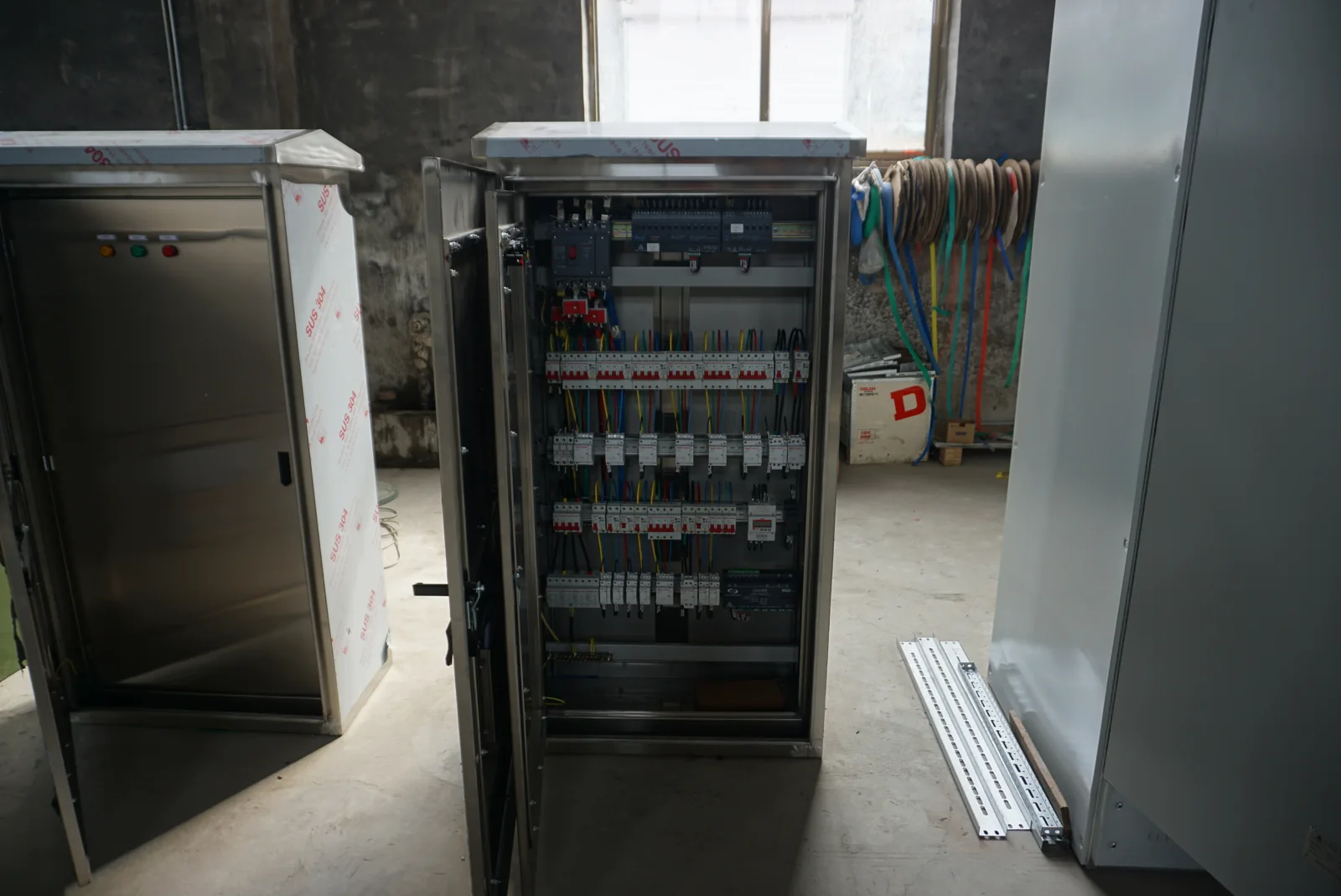
We work with your project team to connect SCADA cabinet requirements with field devices, auxiliary power and the supervisory system. Our cabinet and power-equipment discussions bring signal functions, terminal arrangements and physical layout together, making the interfaces clearer from the first equipment brief.
Turn field conditions into useful operating information
Substation automation connects measurements, equipment states and alarms to the people operating the electrical system. A feeder position helps explain circuit availability; a voltage measurement describes a supply condition; an auxiliary-power alarm identifies a supporting function that needs attention. Authorized commands add a separate control path.
We use these operating needs to organize the cabinet's power, signal and device interfaces with your team. Hardware, software and supervisory integration are defined together in the project scope. This page focuses on substation equipment; production sequences and process coordination have their own treatment in our industrial automation page.
From field devices through the cabinet to SCADA
Functional information path: contacts, meters and protection devices → I/O or device communications → controller, RTU or gateway → station network → supervisory system. Some devices communicate directly; others reach the network through dedicated input/output equipment.
We discuss the points where that path meets the cabinet: power connections, terminals, equipment mounting, communication entries and operator devices. Existing device models and the proposed architecture help distinguish hardwired signals from network data. Organizing these interfaces together makes it easier to allocate cabinet space and cable routes without losing sight of what each signal means at the supervisory display.
Four signal types guide the cabinet configuration
| Signal | What it tells the operator | Configuration inputs | Physical interface to define |
|---|---|---|---|
| FEEDER_A_STATUS | The defined position or availability of a device | State contacts or data points, normal state and invalid-state handling | Digital input or communicated status; field-device model, contact type, signal voltage, supply responsibility and terminal reference |
| BUS_VOLTAGE | A measured electrical condition | Meter interface, units, scaling and update needs | Analog input or communicated measurement; device model, electrical range, units, scaling, supply responsibility and terminal or data reference |
| AUX_POWER_ALARM | A supporting power condition needs attention | Active state, priority and indication | Digital input or communicated alarm; contact behavior, signal voltage, supply responsibility and terminal or data reference |
| FEEDER_A_COMMAND | An authorized operation has been requested | Command interface, permissions and feedback | Digital output or communicated command; receiving-device model, electrical load or command format, supply responsibility, terminal or data reference and feedback path |
We coordinate these categories with I/O counts, terminal groups and the selected field interfaces. Spare channels and reserved cabinet space are recorded separately from installed signals. Consistent tags connect the point list, wiring references and operator terminology, making later changes easier to follow.
We use these physical-interface fields as project inputs, alongside the signal meaning and required response. The selected devices and agreed scope determine which wired interfaces or communications are used; a point count alone does not define the cabinet hardware.
Make the device interface carry the right meaning
Protocols and device versions
A protocol describes how devices exchange information, but the project still needs the exact device role, version and interface definition. We bring those requirements into the cabinet discussion with the integration team so equipment space, power and communication connections follow the intended architecture.
Data mapping and engineering references
A received number becomes useful when its units, scale, identity and validity are clear. The same applies to position states and command feedback. Mapping references connect device data to the supervisory point list, reducing ambiguity between a field label and the name an operator sees. Firmware or configuration changes remain linked to the relevant mapping revision.
Timestamps and data quality explain what happened
Measurement updates and event timing
A load trend and a sequence of switching events serve different purposes. Their update rate, timestamp origin and retention needs can therefore differ. We discuss those uses with the project team so signal requirements reflect the intended operating information rather than a single timing label.
Lost time or delayed information
A value can arrive late, or its time reference can become unavailable. The supervisory system needs to distinguish those conditions from a current, correctly timed reading. Time quality, stale-data indication and recovery behavior help operators interpret delayed or reordered events. These functions are defined with the integration team for the actual devices and network.
Power and cabinet layout support the signal path
Auxiliary supply and retained functions
Controllers, communications equipment and indications may use different AC or DC supplies. We organize their continuous and peak demand alongside the functions that need to remain available during an interruption. Where backup is part of the project, its duration and retained loads connect to the DC power arrangement.
Terminals, materials and heat
Equipment losses, ambient conditions and cable access shape the cabinet layout. We discuss enclosure material and finish for the location, terminal zones for the signal groups and cooling access around the installed devices. Power and communications routes are planned with the relevant interface requirements, leaving practical space for identification, connections and later equipment work.
Keep remote commands connected to operating permissions
A supervisory command requests an action; the equipment's control and interlock functions determine whether that action is permitted. Position feedback then reports the resulting state. These steps need separate identities so an accepted command is not mistaken for completed movement.
We coordinate cabinet indications and control interfaces with the project's local/remote authority scheme. The discussion covers mode selection, permissives, command feedback and handling of conflicting requests. Protection and its settings follow the electrical protection design, while SCADA communicates the agreed information and commands. Our switchgear configuration page connects this logic to device positions and auxiliary connections.
Define behavior when the normal signal path changes
| Scenario | Operator information | Behavior to define |
|---|---|---|
| Communication lost | Unavailable link and stale or invalid points | Local operation and treatment of pending commands |
| Command has no expected feedback | Request and device state remain distinguishable | Timeout, indication and authorized next action |
| Auxiliary power returns | Restored device availability | Restart state and command handling |
| Time reference is lost | Time-quality indication | Event interpretation and recovery handling |
We use agreed scenarios to connect cabinet interfaces with the intended system response. Factory simulations and site checks address different parts of that response; their scope and expected observations are established for the project.
Project information that remains useful after installation
A point list is most useful when it stays connected to the final terminal drawing, device identifiers and configuration versions. We coordinate the agreed cabinet information with your project's engineering records so the physical connection and supervisory meaning can be traced through the same signal tag.
Later device or firmware changes can affect mapping, timing or control behavior even when the cabinet wiring stays in place. Keeping revision references, configuration backups and operating information together helps the responsible teams assess those changes. Replacement hardware, engineering tools and any software deliverables are identified within the agreed project scope rather than treated as interchangeable accessories.
Discuss your SCADA cabinet interfaces
Start with a non-sensitive architecture outline, approximate point count and the types of field equipment involved. Tell us the cabinet's available power and installation environment. We can then organize signal groups, terminal interfaces and layout requirements with your team.
Existing point lists or drawings can be exchanged as the discussion develops. Hardware, integration, documents and any additional project work are then defined around the selected arrangement. Use your organization's secure process for account access; keep passwords, tokens and other login credentials out of public inquiry messages.